Send this page to your phone.

Pushpilot is a fast, open-source Pushbullet client for Chrome, Brave and Edge. Send tabs, notes and files, see your Android notifications, and text from your browser.

Unofficial. Not affiliated with Pushbullet. Works with your existing Pushbullet account.

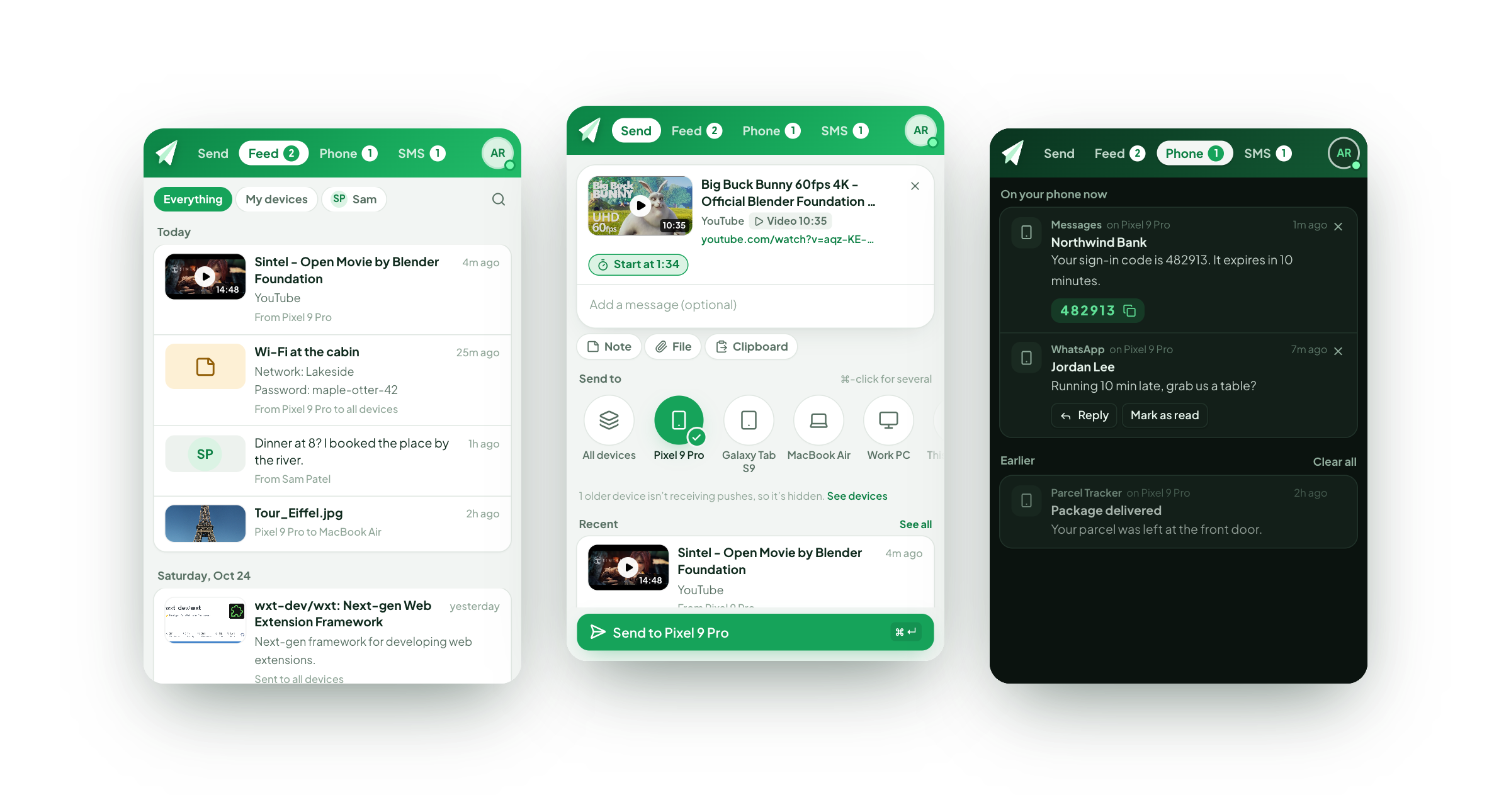
Pushpilot's feed, send sheet and phone notifications

The Pushbullet extension, rebuilt for today's browsers

The official extension was built on Manifest V2, which current Chrome, Brave and Edge no longer let you install. Pushpilot is a ground-up rewrite on Manifest V3 that brings back what people relied on, and makes sending the page you're on a one-click job.

Open it on any page. It's ready to send.

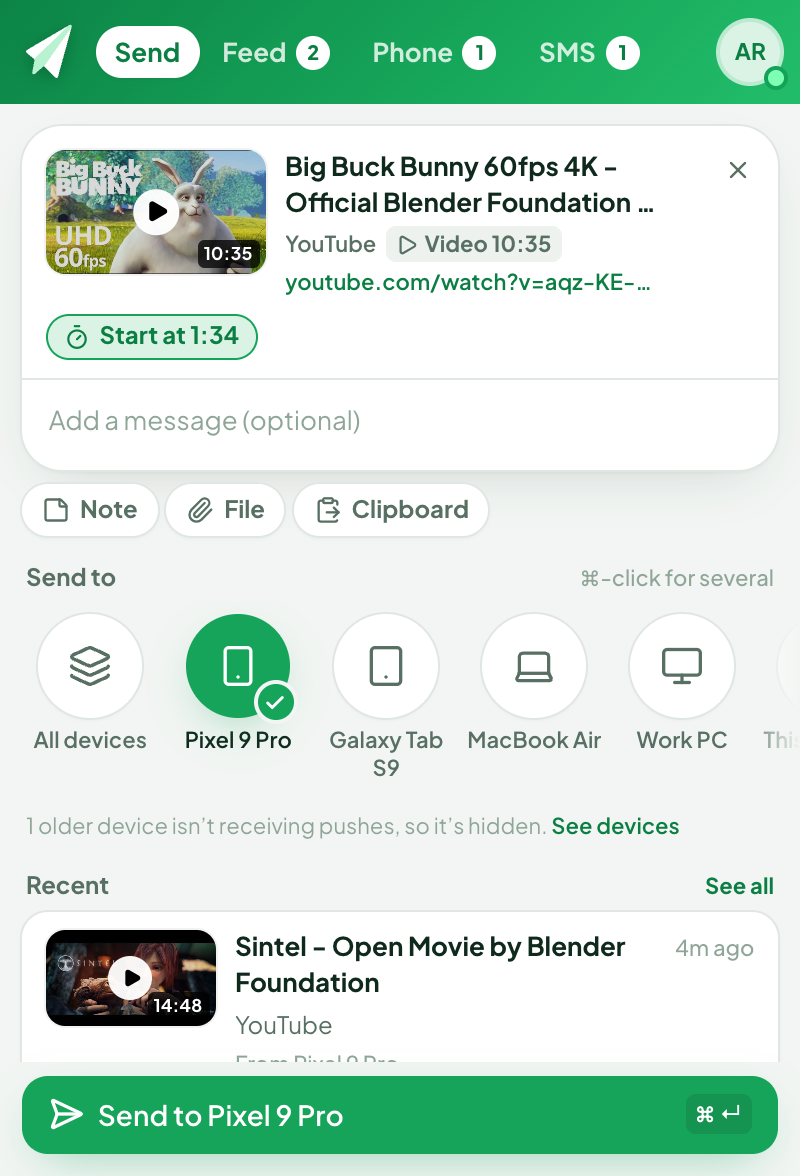
The page you're on appears as a card with its picture, title and site. Pick a device and press ⌘ Enter.

  • Watching a video? Start at 12:34 sends it at the exact minute.
  • Notes, links, files and images, by paste or drag and drop.
  • Send to one device, several, all of them, or a friend.
  • Right-click any page, link, image or selection to push it.
The send sheet with a video ready to send

Links open themselves when they land

Desktop notifications with a choice of sounds, and links that open in a new tab as they arrive, like the original extension.

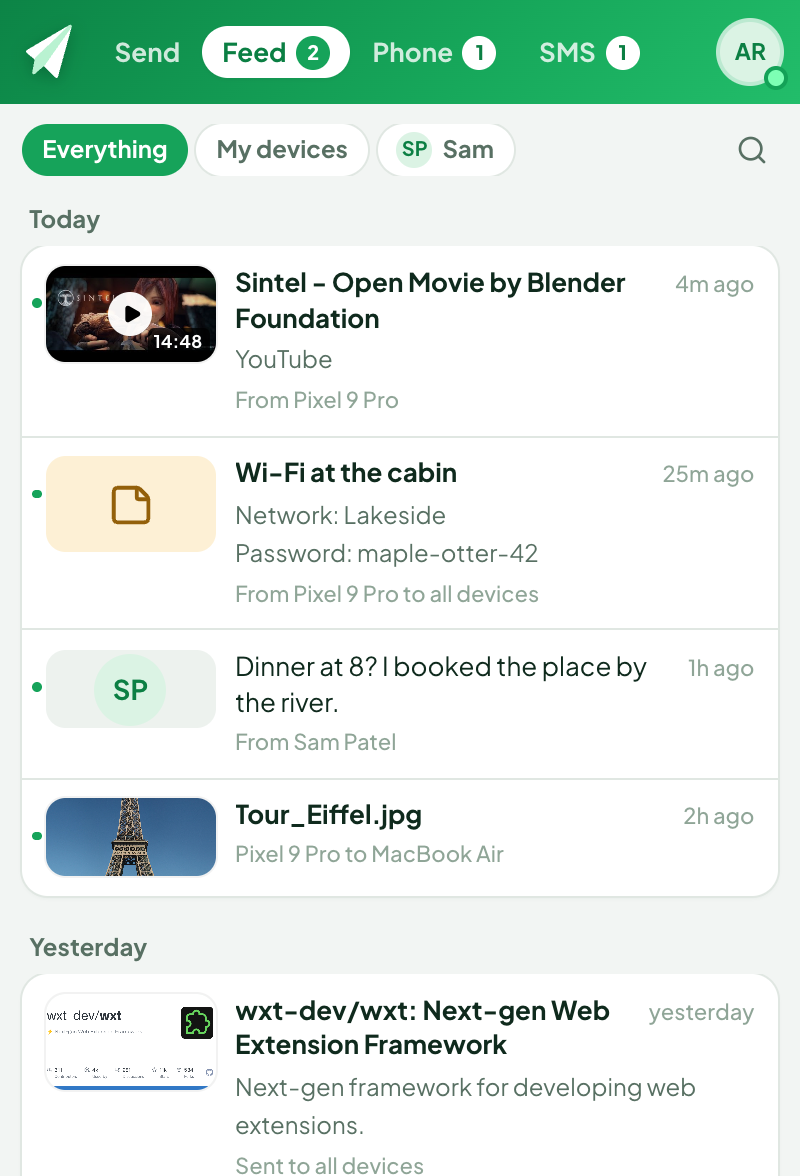
  • A feed of everything you've sent and received, with search and previews.
  • Choose what counts: pushes to this browser, to all devices, or to your others.
  • Each browser gets its own Pushbullet device, so pushes between them just work.
The feed with video thumbnails and notes

Your phone's notifications, on your desktop

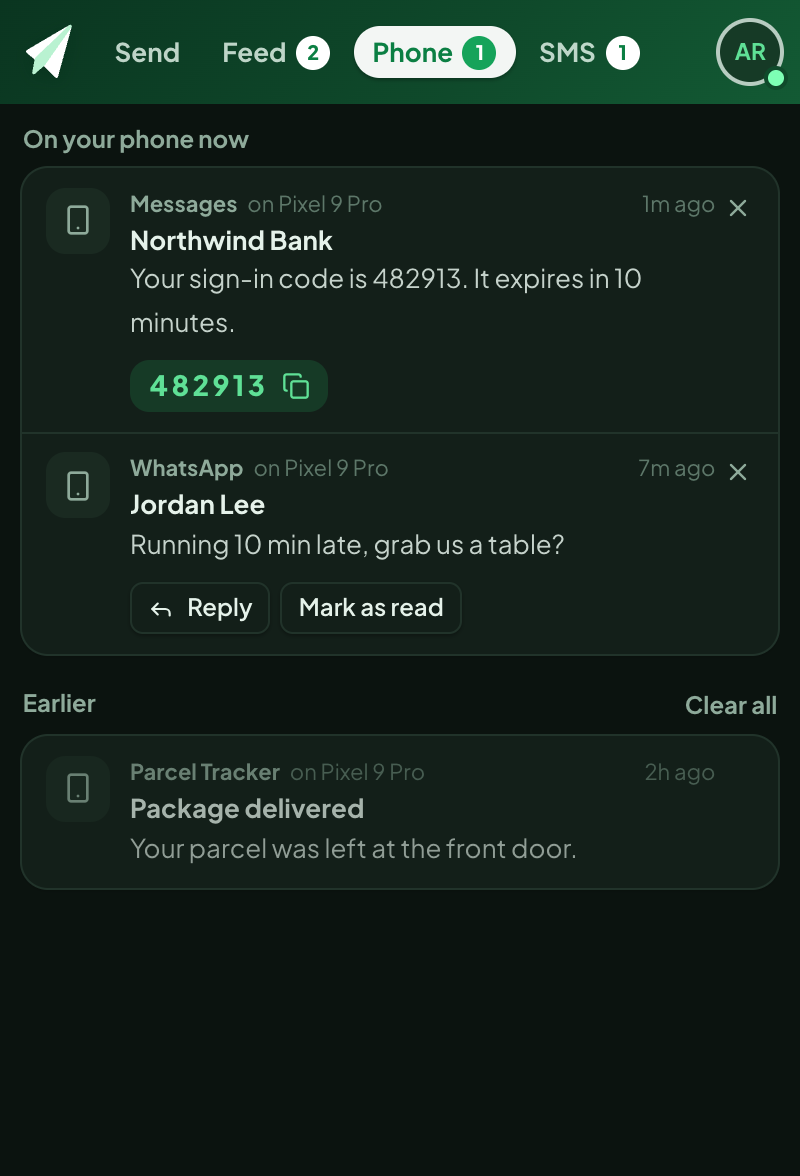
See Android notifications as they happen, and handle them without picking up your phone.

  • Copy sign-in codes in one click, or automatically.
  • Reply to WhatsApp, Messages and other chat apps.
  • Run notification actions and dismiss them on the phone.
Phone notifications with a sign-in code ready to copy

Text from your browser

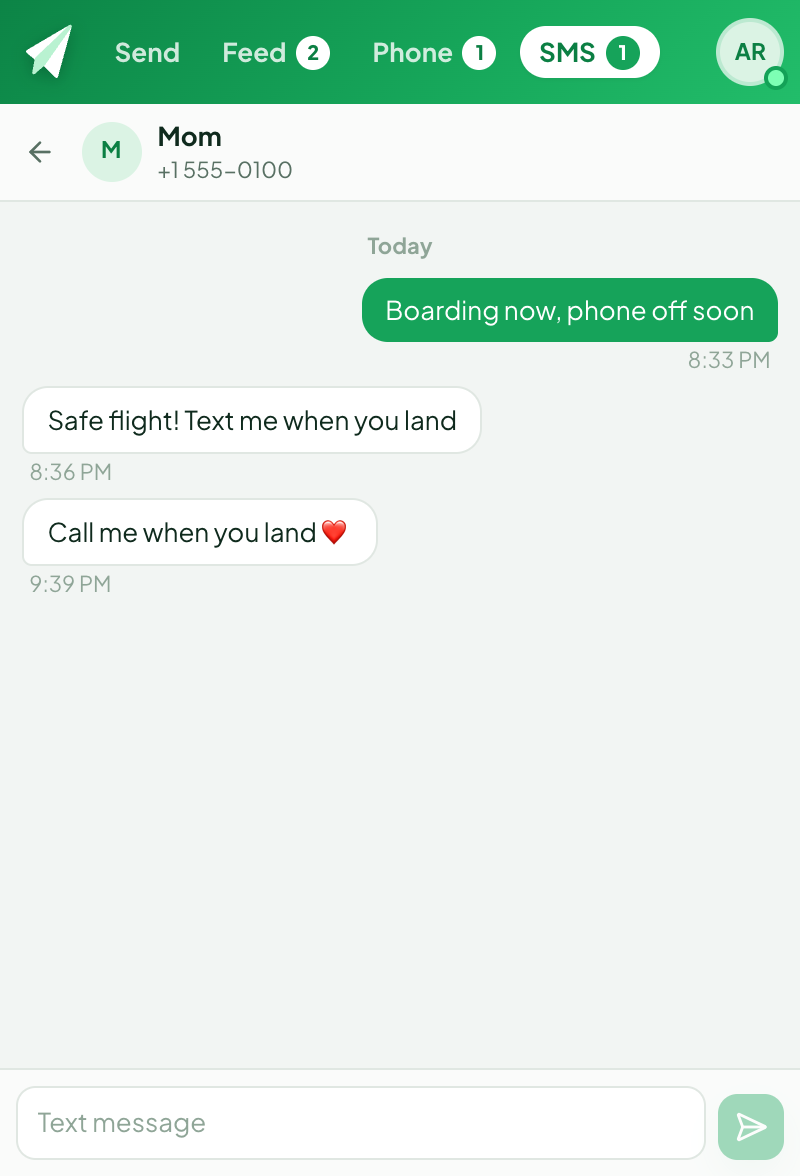
Read your SMS conversations and reply from the keyboard you're already typing on.

  • Works with any Android phone running the Pushbullet app.
  • End-to-end encryption compatible with the Pushbullet apps.
An SMS conversation

Push from outside the browser

From any app on your computer, and from the Share sheet on iPhone, iPad and Mac.

From any app, with a key

Copy a link or some text anywhere and press ⌘ ⇧ 9 (Ctrl Shift 9 on Windows and Linux): it's pushed to your default device. ⌘ ⇧ 8 opens Pushpilot in a window, ready for files. Built in; works while the browser runs in the background.

Pick the default device in Pushpilot's Settings › Sending. To change the keys, open chrome://extensions/shortcuts and keep their scope on Global.

iPhone, iPad and Mac

The Pushpilot shortcut for Apple Shortcuts pushes links, text, photos and files to any device or friend, even with the browser closed. Share to it from any app, ask Siri, use Back Tap on iPhone, or Finder's Quick Actions and the menu bar on a Mac. Your last pick is at the top of the list.

Open it and paste an access token from pushbullet.com › Settings › Account. Your copy then holds that token, so share this page rather than your copy. The first run asks to connect to api.pushbullet.com: choose Allow.
Private by design

No servers, no analytics, no tracking. Pushpilot talks only to Pushbullet, and your history stays in your browser. The code is open for anyone to check.

Read the privacy policy

Install

Chrome Web Store

One click to install in Chrome, Brave and Edge, with automatic updates.

From GitHub

Download pushpilot-*-chrome.zip from Releases, unzip it, open chrome://extensions, turn on Developer mode and choose Load unpacked.

Needs Chrome 127 or newer, or a browser based on it, and a Pushbullet account.

Questions

Is Pushpilot made by Pushbullet?

No. It's an independent, open-source project that uses Pushbullet's public API with your own account. It is not affiliated with, endorsed by, or sponsored by Pushbullet.

A push didn't reach my phone.

Pushbullet keeps old device registrations around as "not connected"; pushes to them never arrive. Settings › Devices shows which ones are live. Opening the Pushbullet app on the phone reconnects it.

Pushes from my phone don't show up.

On the phone, pick this browser or "All devices". If the phone still lists the old Pushbullet extension as "Chrome", tick it in Settings › Receiving and those pushes arrive in Pushpilot too.

Do phone notifications and SMS work on iPhone?

No. Pushbullet supports notification mirroring and SMS on Android only.

Is there a limit?

Free Pushbullet accounts can send 500 pushes a month. Receiving, phone notifications and SMS aren't affected. Pushpilot itself is free.

Free and open source

Pushpilot is free and open source under AGPL-3.0, with no ads and no tracking. If it saves you time, you can help keep it going.